On your network
Direct device-to-device transfers. Nothing is uploaded, and no server sits in the middle.
Hando hands files, folders and messages straight from one device to another over your Wi-Fi. Mac to PC. iPhone to Android. No cloud, no account, no upload.
MIT licensed · macOS, Windows, Linux, iOS and Android
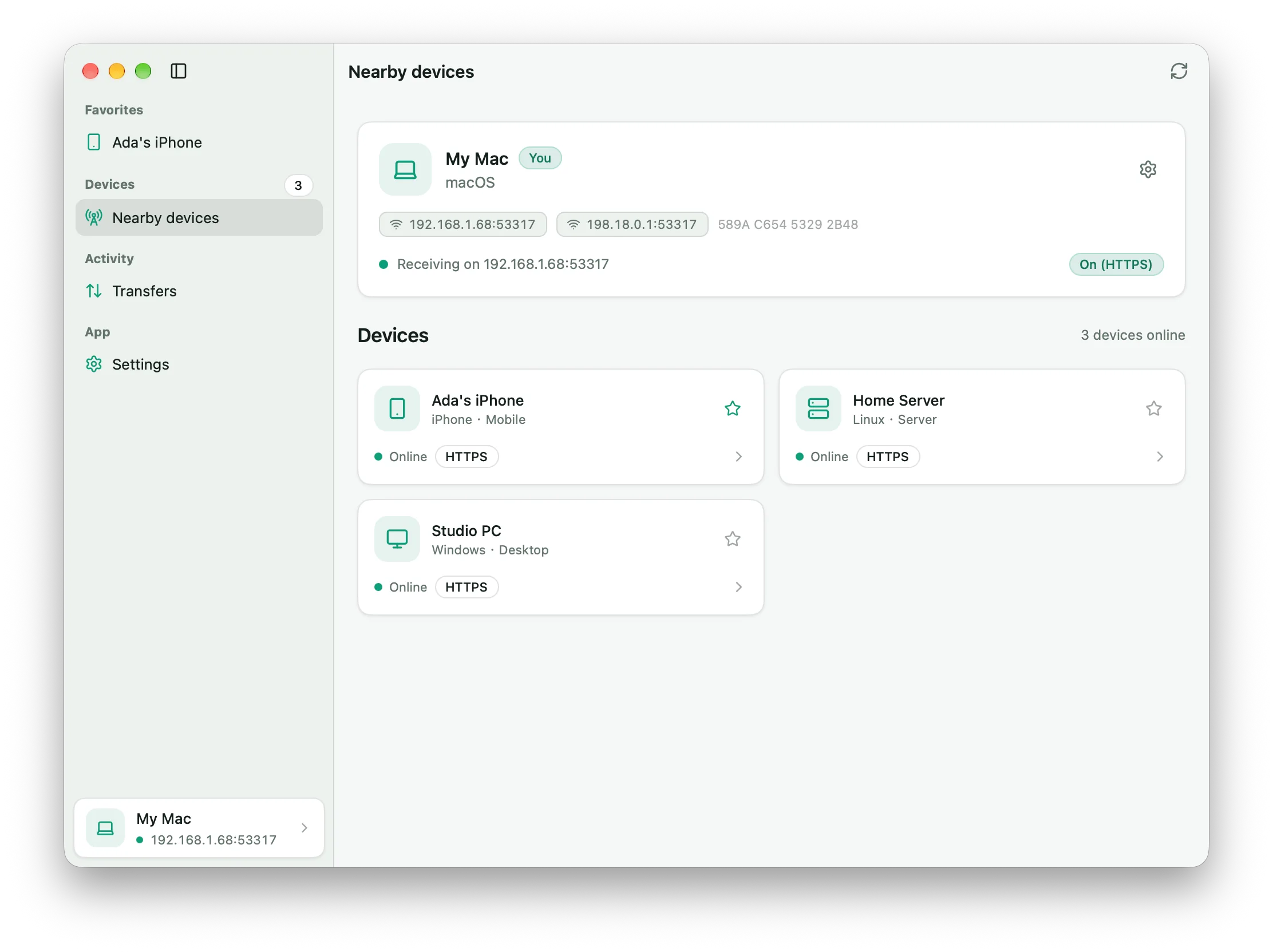
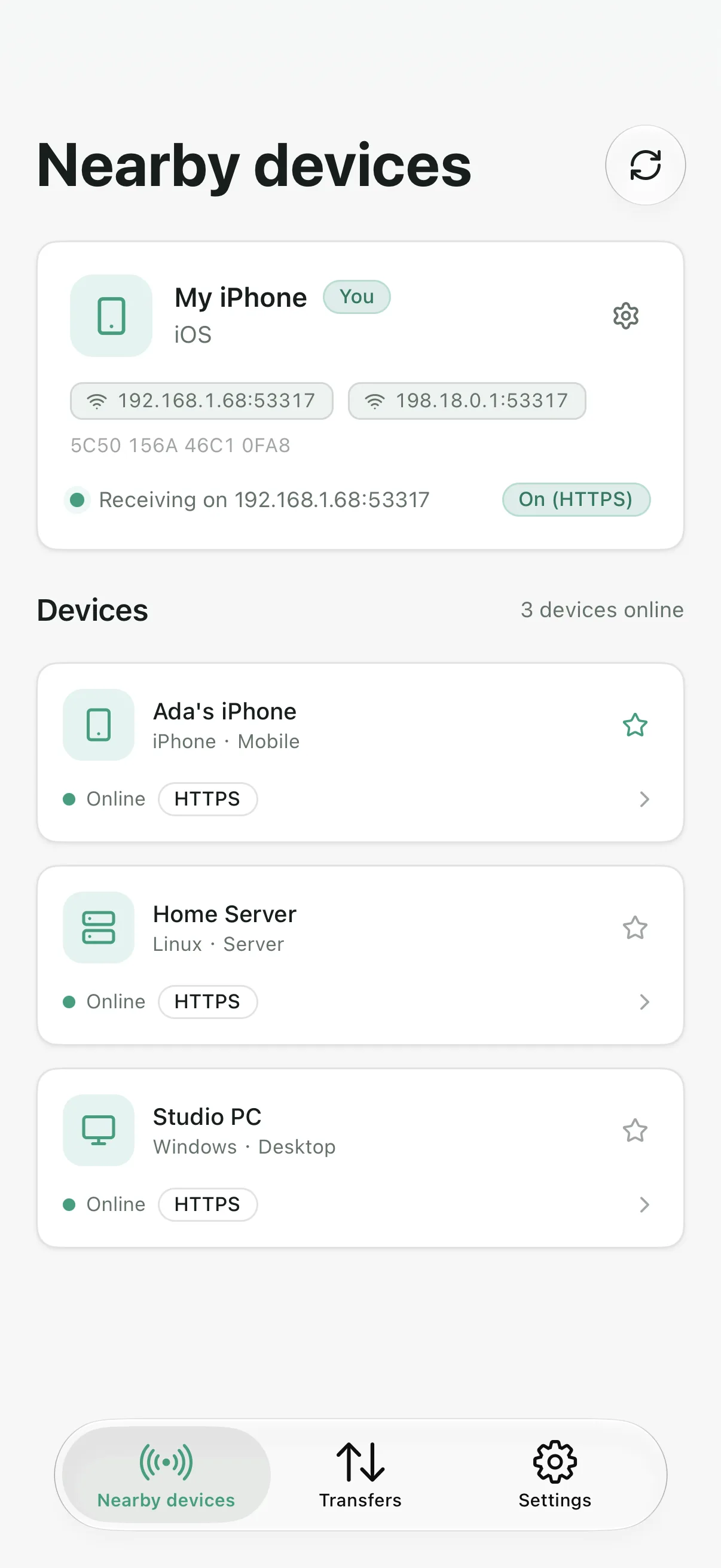
Direct device-to-device transfers. Nothing is uploaded, and no server sits in the middle.
HTTPS with mutual TLS, pinned to the peer’s fingerprint. Plain HTTP stays for older setups.
The official LocalSend apps use the same protocol. Hando is not required on both sides.
No pairing codes, no accounts, no setup. Open Hando on both devices and it finds the rest.
Both devices announce themselves on the local network. Nearby devices appear in a moment, and favorites stay in the list even while offline.
Choose files or a whole folder, or write a short message. Then tap the device beside you.
They review the request and accept. Progress is visible on both ends, and checksums are verified as the files land.
The details that make a transfer feel effortless, on the desk and in your hand.
Files, whole folders or a quick message. Queue several, watch each one, and cancel a transfer you change your mind about.
Star a device to keep it in reach while it’s offline. Quick Save accepts its transfers without a prompt — for the phone on your desk, not the café downstairs.
Set a receive PIN so only the people you tell can send to you.
When the sender offers a SHA-256, Hando verifies it before a received file gets its final name.
Every finished transfer stays in the app, ready to open its folder.
A sidebar on desktops, a tab bar on phones, light and dark, English and Simplified Chinese.
The same app, shaped for the device in your hand.
A sidebar for the desk. Favorites, nearby devices and transfers in one window.
A tab bar for the thumb. Nearby, transfers and settings, one tap apart.
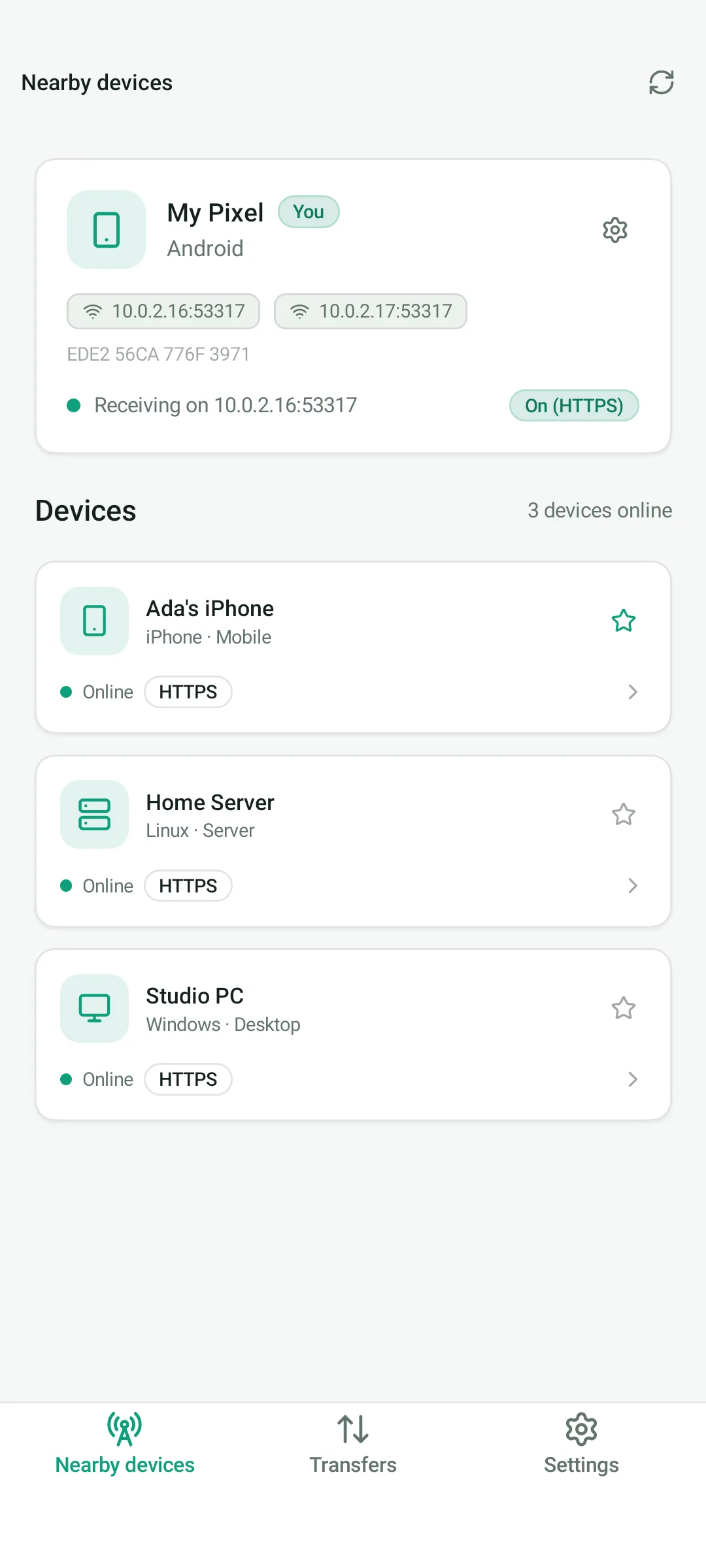
The same layout on Android, in light or dark.
Hando implements LocalSend protocol v2.2, so it sends to and receives from the official apps. The other person doesn’t need Hando.
224.0.0.167:53317, with a local network scan as fallback.Hando is not affiliated with the LocalSend project.
The shortest path between two devices is the one already in the room. Hando uses it and nothing else.
Free and open source under the MIT license. Get the package for your platform from the latest release.
 macOS · Windows · Linux · Android · iOS
No. Hando speaks the LocalSend protocol, so the other device can run the official LocalSend app. Hando on both sides adds favorites and Quick Save.
No. Transfers use the local network only. If devices don’t find each other, check that the Wi-Fi isn’t isolating clients; Hando also scans the subnet as a fallback.
No. There is no Hando server, account or cloud. Files travel directly from one device to the other.
Files, folders and text messages, with per-file progress and cancellation. Received files go to Downloads/Hando on desktops or the app’s folder on phones, and you can choose another folder in Settings.
It implements LocalSend v2.2: multicast discovery, mutual TLS with pinned fingerprints and SHA-256 checksums. It has been tested against LocalSend CLI 1.18.2 in both directions.
Yes. Hando is MIT-licensed, and its source and release workflow are on GitHub. If it saves you time, you can sponsor its development.
The iOS package is an unsigned .ipa unless a signing profile is configured. You’ll need to sign it with your own Apple ID or a developer profile before installing.